The link is temporary and expires after a while. The hashes let you verify the integrity of the downloaded file.
Description
Dočasné řešení neprůhledné vody v XPL 12.
Nejprve si zálohujte složku X-Plane 12\Resources\bitmaps\world\water
Složku +40+010 a složku +50+010 nakopírujte do složky X-Plane 12\Resources\bitmaps\world\water a přepište stávající soubory .
Po každé aktualizaci XPL se musí opět aplikovat. Až to bude vyřešeno defaultně v X-Plane, oznámím to.
V brzké době provedu i pro ostatní mé scenérie.
Orto_cz ZL17plus CZUK transparent water temporary solution
Temporary solution for opaque water in XPL 12.
First back up the X-Plane 12\Resources\bitmaps\world\water folder
Copy the +40+010 folder and the +50+010 folder to the X-Plane 12\Resources\bitmaps\world\water folder and overwrite the existing files .
After each update the XPL must be reapplied. When this is resolved by default in X-Plane, I will announce it.
I'll implement it for my other sceneries soon.
Translated with www.DeepL.com/Translator (free version)
Version history
| Version | Date | Size | Changes | Downloads | Downloads |
|---|---|---|---|---|---|
| 1.0 current | 25. 8. 2024 | 4.1 MB | — | 110× | Download |
This is the only released version so far. When the author releases a new one, this one will stay listed here.
Installation
Extract the archive. Put aircraft into X-Plane 12\Aircraft and scenery into X-Plane 12\Custom Scenery. Restart X-Plane 12.
Always back up the original files first. Before installing, verify the downloaded archive against the hashes above.
Similar mods
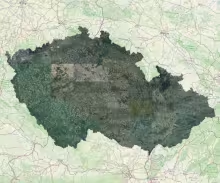
Orto_cz ZL17plus CZUK Celá ČR jednotlivé čtverce
!!!Stahovat pouze ZIP soubory a po jednom!!! !!!Download only ZIP files and one by one!!! Orto_cz ZL17plus CZUK průhledná voda dočasné řešení Orto_cz ZL17plus CZUK transpare
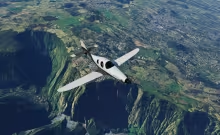
Reunion ZL18
Jedná se o overlay, musí být umístěn ve scenery_pack.ini nad kterýmkoli terénem (Mesh) i nad ortho4xp. Ale zároveň pod letišti a dalšími overlay. Proto název YZ. V X-Plane 12 testo
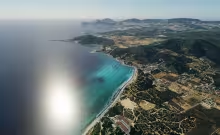
Ibiza ZL18
Jedná se o overlay, musí být umístěn ve scenery_pack.ini nad kterýmkoli terénem (Mesh) i nad ortho4xp. Ale zároveň pod letišti a dalšími overlay. Proto název YZ. V X-Plane 12 testo
More from Martin Flek

Canadair DHC-515 "Croatia AF 877": realism update + Wildfire firefighting plugin 2.0
An update of the freeware Canadair DHC 515 by jpb63. Original aircraft: [ORIGINAL LINK]. All credit for the 3D model, cockpit and base systems goes to jpb63, FMOD sounds by Dan Hopgood.
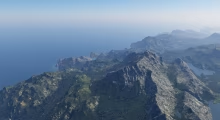
Illes_Balears Ultimate – complete scenery for X-Plane 12
A completely new scenery of the Balearic Islands that replaces the default Laminar Research scenery. It is built from scratch from Spanish government data: the IGN 5 m lidar terrain model, detailed seabed models of the Spanish Hydrographic Institute, European Copernicus satellite vegetation maps and PNOA aerial imagery. The islands are modelled from the peaks of the Serra de Tramuntana down to the seabed off the coast.
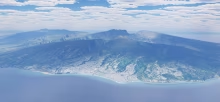
La Réunion Ultimate – complete scenery for X-Plane 12
A completely new scenery of Réunion built from scratch as a replacement for the Laminar Research default scenery and the HD scenery by alpilotx, using the most accurate data available: French IGN lidar terrain, 1 m coastal lidar, detailed bathymetry of the lagoons and reefs, European Copernicus satellite vegetation maps and 1 m IGN aerial imagery. The island is modelled from the summit of Piton des Neiges all the way down to the seabed off the coast.
Comments
No comments yet — be the first.
Log in to add a comment or a rating.